problems with posting pictures.

Signed-In Members Don't See This Ad

Joe Burns

Member
Joined
Sep 9, 2011
Messages
383
Location
Temple Texas
Not quite sure where to post this question. please feel free to move it if it is in the wrong spot.

Ive been placing pictures in my post using the IMG tag with the image size at 800 pixels wide. For some reason I cannot get them to show very good in the post. My originals are much higher resolution with higher details. How do you get the pictures to show up as thumbnails that will open into larger pictures in our posts?

Any thoughts or suggestions is greatly appreciated.

Joe
 
Signed-In Members Don't See This Ad
I do this by first resizing my pictures to the size I want 800x600. I simply add them in as attachments. It should be the paperclip icon next to the smiley face. You may have click "go advanced" buttone at the bottom to get it show if you are trying to add a picture in a thread already started. It should be visible automatically if you are making a new thread. Then just navigate to the location you saved them at on your hardrive and upload photos. Go ahead and try addind a picture in this thread and I'll see if I can 't help you along.
 
Last edited:
Yeah I think I've found his suggestion is the best option except for one. It seems like the folks who embed links to images hosted external to the forum are able to post much larger photos with better detail. Adding a photo to the photos section seems to give you no way to link it without some type of resize deteriorating the image. Upload from you're PC and keep it within the size constraints is the best way to prevent resizing. That will make it a clickable thumbnail.
 
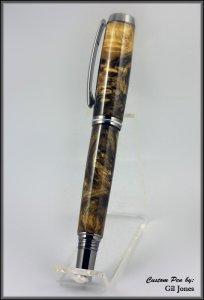
Ok I thought I'd link a photo several ways...there are probably more....

Get this by clicking on [Images] and selecting the photo from you're stored album in the forum. You end up with an image that is clickable to be able to navigate to the original in you're library.


Get this by navigating to you're stored photo and copying the tagged link underneath the photo and changing "medium" to "large". This creates a non-clickable image.
[IMG]https://www.penturners.org/photos/images/14060/large/1_BuckeyeBurlPen2.jpg

This is accomplished using the "Insert Image" button and typing in a link to the photo hosted externally. This is also a non-clickable image but all the original detail is already displayed.

BuckeyeBurlPen2.jpg


Finally the thumbnail is created by clicking the Paper Clip button or the Manage Attachments button in the Additional Options section when you are composing a post. Then you upload the image off you're PC. I realize this image exceeded the 600 pixel height so it gets resized.
 

Attachments

  • BuckeyeBurlPen2.jpg
    BuckeyeBurlPen2.jpg
    19.3 KB · Views: 99
Derek, Gil,

I appreciate it. The example images were extremely helpful. I had been using the IMG tag and now see I should be using the paper clip button instead.

Joe
 
Back
Top Bottom