Disable Right Click on your wrbsite

Signed-In Members Don't See This Ad

Seer

Member
Joined
Jan 3, 2009
Messages
1,893
Location
Surprise, Arizona
Have you ever wanted to stop people from copying the things on your website by right clicking and using the copy command? Here is the simple line command I used on my site so when you right click nothing happens and your work is safer.
Paste this in the ""footer code"" in your SEO tab

<body oncontextmenu="return false;">

Protect Images - Support Articles link showing this as well

Jerry
 
Signed-In Members Don't See This Ad
I tried to fo it on my site and nothing happens but then I am still using XP.
I have windows 7 on my shop pc and when I roght click nothing happens there either, but then never heard of the clip command.
 
Last edited:
Ok then how did you get the source code? When I right click nothing pops up but I can highlite the page and copy paste it but it only shows the stuff on the page no code.
 
Looks like I learned something new hopefully it will just discourage those who want to copy the pic, at least they can't right click and save it to there own pc, I know some will but the majority probably won't. Thanks for the info.
 
If you are using Win7...top bar...on the the right...page...view source...cut/paste code (http://www.penturners.org/forum/f18...7/1/9/8/7198529/5363941.jpg?143')...walla...I have your pic...took me 10 seconds ;(

Sorry, I feel your pain...

If you are seriously concerned, you might check out digimark:
http://www.digimarc.com/digimarc-for-images/resources/frequently-asked-questions#sales_2


Ok then how did you get the source code? When I right click nothing pops up but I can highlite the page and copy paste it but it only shows the stuff on the page no code.
 
Last edited:
Like I said it's like the keys to your car, it'll stop most people.

Realistically though most people searching for pens won't go out ot their way to save your images so you shouldn't have much to worry about.

AK
 
Like I said it's like the keys to your car, it'll stop most people.

Realistically though most people searching for pens won't go out ot their way to save your images so you shouldn't have much to worry about.

AK

True it was just a thought, seee what happens when I think :biggrin:
 
???Look Familiar???


But can you copy the pictures is what I am getting at the code does not bother me just the pictures
 

Attachments

  • 8473692.jpg
    8473692.jpg
    9.9 KB · Views: 153
The new windows has a "clip" command that you can use so they can still copy the pic.

Below is an example of what you can do with the snipping tool in win7. Granted it's at the displayed screen resolution, not the original photo resolution, but it's there, none the less.

Like I said it's like the keys to your car, it'll stop most people.

Realistically though most people searching for pens won't go out ot their way to save your images so you shouldn't have much to worry about.

AK

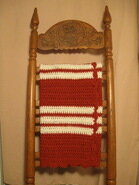
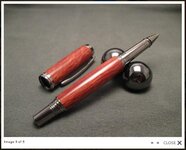
Yep, locks are to keep honest people honest. They do little good against dedicated thieves. That said, I tend to agree with Andrew. People who are looking for pens or afghans are most likely not out to steal your pictures. However, if you are that concerned about it, then why not copyright and watermark your shots? I've attached an example of that as well from my own website. It still doesn't protect the picture from getting stolen, but it does make me feel better. Additionally, if someone likes my photo work well enough to save a copy, then I guess I should be flattered, even though I will most likely never know that they saved it.

Nice pens, by the way. :smile:
 

Attachments

  • Untitled1.jpg
    Untitled1.jpg
    47 KB · Views: 172
  • IMG_0242_1.jpg
    IMG_0242_1.jpg
    44 KB · Views: 165
Last edited:
I use the clip or whatever it is called on my home computer from time to time. I have used it to get a picture from a video on youtube and things like that.
 
Your site sits on a server most likely a virtual server....
My guess it's Linux, I can have your whole site code pictures and everything downloaded in a few min, no matter what locks are on it.

What is your concern with people getting your pictures?

If you want security you need to enable it on your site restrict public access, and log what people do when the login, and sign an agrement of sort.

But you'll never sell much that way....

If your worried about people using your pictures, put a watermark on them.

Note##
You should become familiar with the code involved for your site, keep a back up for compare, you never know when a hacker will get in there and embed some code or URL to compromise your site, and it ends up on a google block list... Not a good thing.
 
Last edited:
If the concern is that someone will use your pen picture on their website then possibly one should not post . I have not seen any examples of someone using a pen turners picture on another site without permission. If I wanted a copy of a picture I would just take my camera and snap a shot of the computer monitor and then download it to a file as future reference of a pen that I liked.
 
Yeah - just hit the print screen button on your keyboard, above the Insert button, and paste the image into some art/image editing software like photoshop or paint shop pro.

Then just crop the part you want to keep. I've never seen it not work.

Some art programs even have an image capture button built in. You click it, go to the screen you want to copy, right click or hit some other button, and a selection box comes up. You can crop the image as you copy it.
 
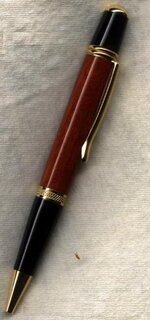
I just edit my URL into the picture close enough it can't be cropped out easily. If they still want to use my picture, I am happy to have the advertising.
 

Attachments

  • 307-Bloodwood-sierra-pen-gold-hardware-rs.jpg
    307-Bloodwood-sierra-pen-gold-hardware-rs.jpg
    32.1 KB · Views: 152
Last edited:
All i have to do is drag and drop whatever to my desktop and it copies. Just tried it o your site as an example and it worked as usual. Not sure if what you are trying to do will stop this, but i never use the copy/paste. Im also on a Mac not Windows, so i dont know if that makes a difference.
 
The basic idea is that to display it on a browser, all the data to display the page has to be sent to your computer. Even if the browser has features to prevent data from being copied out of it, it's still on your computer and takes only a rudimentary knowledge of how the web works to get it.
 
You don't even need to mess with the source to get the image URLs. In Firefox, just do a "Save Page As" and it puts all the html and images into a folder on your computer.
 
The only safe way to keep your pictures yours is to not post them. The second best way is to watermark them. That way, should someone steal them, there is no way they can claim ownership. Make the watermark cover the part of the image the thief would want, but not to obtrusive to really distort the picture.

When you place the watermark, do it on a copy of the photo, and embed it then re-save the image with the watermark embedded. That way the image online is watermarked through and through, and it can't be removed without destroying the picture.

Other than those two ways, anything you post on the 'net can, and probably will be used without your consent. It is a digital age, and there is no shortage of hackers, and webmasters, that use things like this.

Photoshop, Photoshop Elements, Corel, and a number of other photo editing software packages will do what you want, obviously, some more expensively than others.

Expect it, and consider it flattery, but take what steps you can to protect yourself.
 
The second best way is to watermark them. That way, should someone steal them, there is no way they can claim ownership. Make the watermark cover the part of the image the thief would want, but not to obtrusive to really distort the picture.

When you place the watermark, do it on a copy of the photo, and embed it then re-save the image with the watermark embedded. That way the image online is watermarked through and through, and it can't be removed without destroying the picture.

Here's an example of what he's talking about. I did this from my original RAW file in Corel Aftershot Pro and then published it to jpg. The watermark is there, and plain to see, but it doesn't ruin the image, at least not too much.

Expect it, and consider it flattery, but take what steps you can to protect yourself.

Wise words and good advice.
 

Attachments

  • IMG_1700-1024.jpg
    IMG_1700-1024.jpg
    29.6 KB · Views: 152
You don't even need to mess with the source to get the image URLs. In Firefox, just do a "Save Page As" and it puts all the html and images into a folder on your computer.

Every major browser will do that, not just FF. There are times though Save As won't get you all the files (if javascript is used in some ways), that you can get to if you see the source. Then you could obfuscate the js source... but like others have said there's simply no way to stop it 100%.
 
That's a better example of a watermark, it's transparent, and is harder to get rid of, with some work it could be hidden but why would someone need to go through the work..:confused:
 
You can even hide watermarks... doesn't stop someone from using it, but if it's a highly unusual picture, a hidden watermark can be hidden and then used with a DMCA cease order. The if they don't pull it, send it up the line to the hosting company... In the US at least, it will eventually get pulled. I've pulled an entire site and dropped the client at the end of the month before because they wouldn't take down copyrighted realty images.
 
When Your browsing the web, you dont actually "GO TO" a website, in reality you "bring it" to you.

Every time you load a new Web Page, you go out and copy that Page and bring that copy of the page back to your computer. That said, with a little bit of knowledge, you can do anything you want with that data once it has arrived on your computer.
 
If you can't beat them, have some fun with 'em. Paste this anywhere in the body of your HTML:


<!-- Begin
function right(e) {
var msg = "Right click detected - Click OK to format C:\\ drive.";
if (navigator.appName == 'Netscape' && e.which == 3) {
alert(msg);
return false;
}
else
if (navigator.appName == 'Microsoft Internet Explorer' &&
event.button==2) {
alert(msg);
return false;
}
return true;
}
document.onmousedown = right;
// End -->


A right-click anywhere on your page will generate a little pop-up that says "Right click detected - Click OK to format C:\\ drive."
 
Last edited:
WOW thanks everyone I guess I was just thinking to much lol. Mpral of the post is :If someone wants it bad enough they can get it" lol thanks all ahve a great day
Jerry
 
Now that's just funny...don't care who you be.. :)


If you can't beat them, have some fun with 'em. Paste this anywhere in the body of your HTML:


<!-- Begin
function right(e) {
var msg = "Right click detected - Click OK to format C:\\ drive.";
if (navigator.appName == 'Netscape' && e.which == 3) {
alert(msg);
return false;
}
else
if (navigator.appName == 'Microsoft Internet Explorer' &&
event.button==2) {
alert(msg);
return false;
}
return true;
}
document.onmousedown = right;
// End -->


A right-click anywhere on your page will generate a little pop-up that says "Right click detected - Click OK to format C:\\ drive."
 
You don't even need to mess with the source to get the image URLs. In Firefox, just do a "Save Page As" and it puts all the html and images into a folder on your computer.

Every major browser will do that, not just FF. There are times though Save As won't get you all the files (if javascript is used in some ways), that you can get to if you see the source. Then you could obfuscate the js source... but like others have said there's simply no way to stop it 100%.

I am aware of that. I was simply giving the menu pick which was specific to FF.
 
If you can't beat them, have some fun with 'em. Paste this anywhere in the body of your HTML:


<!-- Begin
function right(e) {
var msg = "Right click detected - Click OK to format C:\\ drive.";
if (navigator.appName == 'Netscape' && e.which == 3) {
alert(msg);
return false;
}
else
if (navigator.appName == 'Microsoft Internet Explorer' &&
event.button==2) {
alert(msg);
return false;
}
return true;
}
document.onmousedown = right;
// End -->


A right-click anywhere on your page will generate a little pop-up that says "Right click detected - Click OK to format C:\\ drive."

Imagine changing the words to something else heehee
 
I just edit my URL into the picture close enough it can't be cropped out easily. If they still want to use my picture, I am happy to have the advertising.

My photo program has an erase feature that will easily take out the URL ... not that I would... I generally note where I extracted a picture from when I send them to my "Go-By" file... and I admit that if I see a turning that I find particularly appealing and want to try to duplicate, I do extract a copy and save for future reference... as they say "Imitation is the purest form of flattery."
 
I know the URL can be removed, but you need to put in some effort or use a good software package. If anyone goes to that effort on my turnings, I am flattered.
Regarding copying an image to study, there is nothing wrong with that. Even the copyright in many books allows you to copy a portion of the book for study purposes.
I often download images of turned items I like. I sometimes will look through these images for ideas. I may copy the colours from one, part of the shape from another and I create something that is mine, but influenced by the work of other turners.
I prefer when the images have a name or URL on the image. That way I know where the image came from. I may go off and look at more of their work to study it in more depth. There are many great turners on this site and I have learned much by looking over the work they have shared. Thanks to everyone who shares their work and I hope that some of the work I share will help others too.
 
Signed-In Members Don't See This Ad
Back
Top Bottom