
bruce119
Member
I wanted to post an article from the Library. I see they are in PDF now how can I link up a PDF in a post. I know how to do a URL with the insert link button but a PDF doesn't have a URL 
HELP
Thanks
HELP
Thanks

http://content.penturners.org/library/techniques/celticknot.pdf
EDIT: I was just testing it out above.
Bruce if you tell me which one you want I'll post the URL for you.

Bruce when I open the PDF, they open in Internet Explorer with URL. WHich one are you trying to post.

[url="http://content.penturners.org/library/pens/50BMG.pdf"]50 BMG Tutorial[/url]
will produce:
50 BMG Tutorial
I hope that helps,
Eric

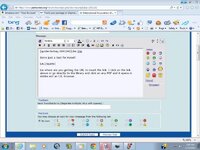
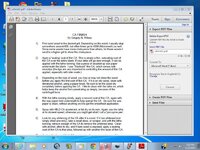
Go to the library page and navigate to the desired article. Instead of left-clicking to open the link, right-click and select "Copy shortcut" from the popup menu. Then go to the post you are writing and paste it into the [url] tag. You can paste either by pressing <ctrl-v> or by right-clicking and selecting "Paste".... where are you getting the URL to insert the link. I click on the link above or go directly to the library and click on any PDF and it opens in Adobe not an I.E. browser.
Go to the library page and navigate to the desired article. Instead of left-clicking to open the link, right-click and select "Copy shortcut" from the popup menu. Then go to the post you are writing and paste it into the [url] tag. You can paste either by pressing <ctrl-v> or by right-clicking and selecting "Paste".... where are you getting the URL to insert the link. I click on the link above or go directly to the library and click on any PDF and it opens in Adobe not an I.E. browser.
I hope that helps,
Eric
