
Cwalker935
Member
Majestic Jr.
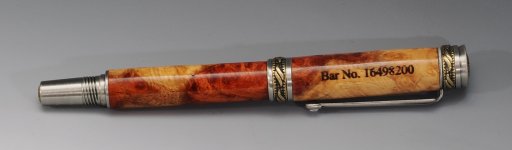
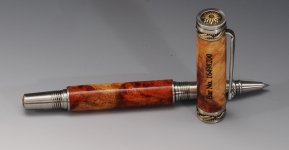

I engraved before finishing with Glu-boost.Looks great
What finish did you use? Did you laser engrave before or after applying finish?

I use a LaserPecker, very easy to use. It's not made specifically for curved surfaces and there is some minor but acceptable distortion.what type of laser engraver do you use? Is it made to engrave on curves or does it sorta just work anyways?
Oh okay cool! I've got access to a laser engraver, so I might have to engrave a couple pens. Honestly I didn't know they could engrave on curves like that.I use a LaserPecker, very easy to use. It's not made specifically for curved surfaces and there is some minor but acceptable distortion.

I just grabbed a Laserpecker for myself, partly thanks to this thread. The cheap one, no frills, garbage tripod, but all I want it for is personalizing pens, such as your example in the first post here (which is beautiful, btw). First thing I did was fashion a plywood base with holes drilled for the tripod feet so it doesn't do a Bambi on ice leg split. Can you tell me what engraving settings you use for wood? I did a quick test on the paper sheets that came in the package, I believe I had it set to 1k resolution, 60% power, 20% depth and 1 pass (I didn't want to burn my kitchen down), and after a lot of smoke I got a very faint image. I'm wondering what's safe to try for a starting point on pen blanks.I use a LaserPecker, very easy to use. It's not made specifically for curved surfaces and there is some minor but acceptable distortion.
